
How to Install Python (Without Getting a Headache)
I’m going to show you how to install Python on your Windows laptop — and do it the right way, so that you can easily run Python programs and install cool packages later on.
No complicated jargon. No fancy software engineer talk. Just plain, simple steps like I would explain to my kids
What is Python?
Quickly — Python is a very popular programming language used for everything from making websites to predicting stock market moves. And we’re going to use it for our quant stuff soon.
Installing Python — Step by Step
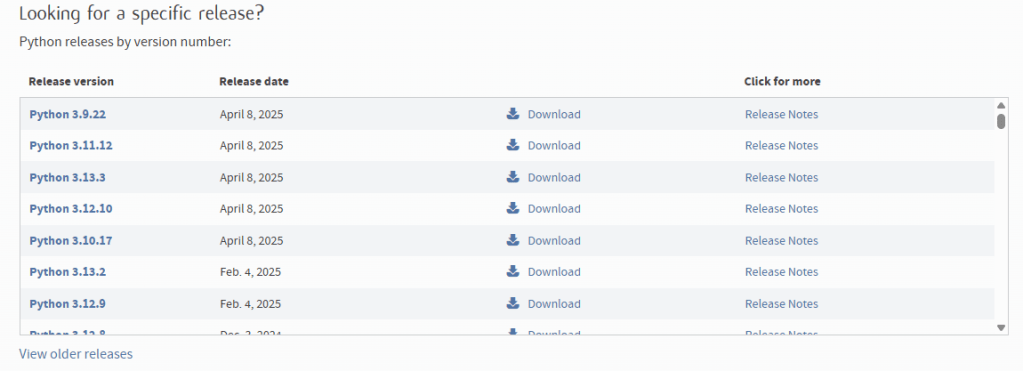
Step 1: Go to the official Python website: https://www.python.org(or https://www.python.org/downloads/ if its available)
Click on the button that says Download Python 3.x.x (whatever version is showing)
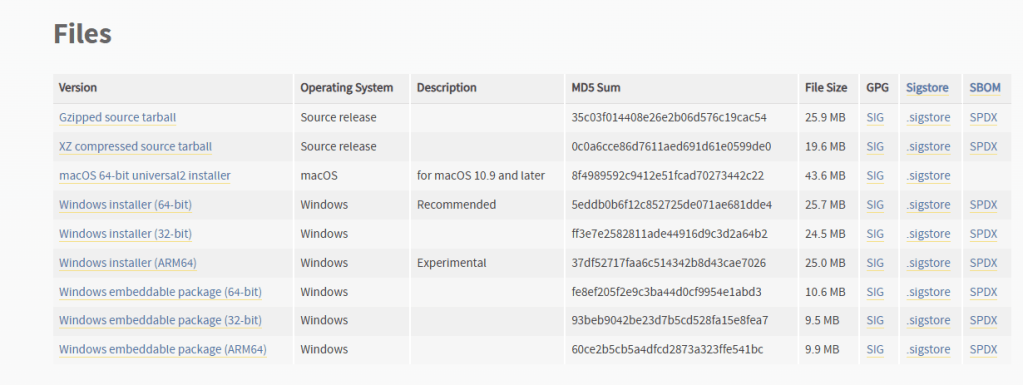
Step 2: On clicking the download, you are sent to a release page where you have to click on the release version compatible to you desktop/laptop
The only detail you need to know is if its a 32-bit or a 64-bit which you can find in the about section in your desktop/laptops settings
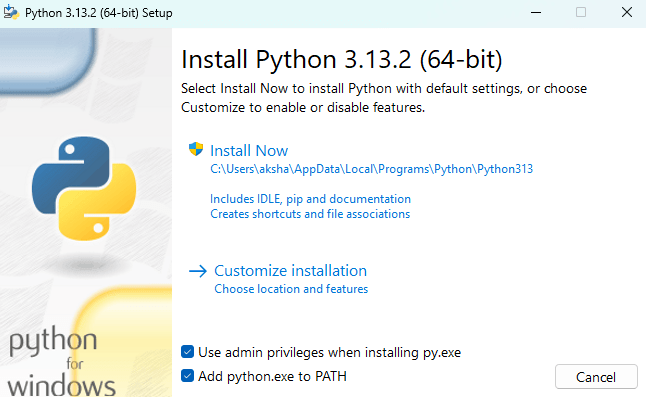
Step 3: This is the most important part
Check the box at the bottom that shows Add python.exe to PATH
There needs to be a blue tick at that box like the image shown
Running python like a baby whisperer
If you’ve done all the steps correctly above, you should be safely able to run python on your system. For a dad, that would be the equivalent of putting on the diaper correctly and not dealing with the mess later.
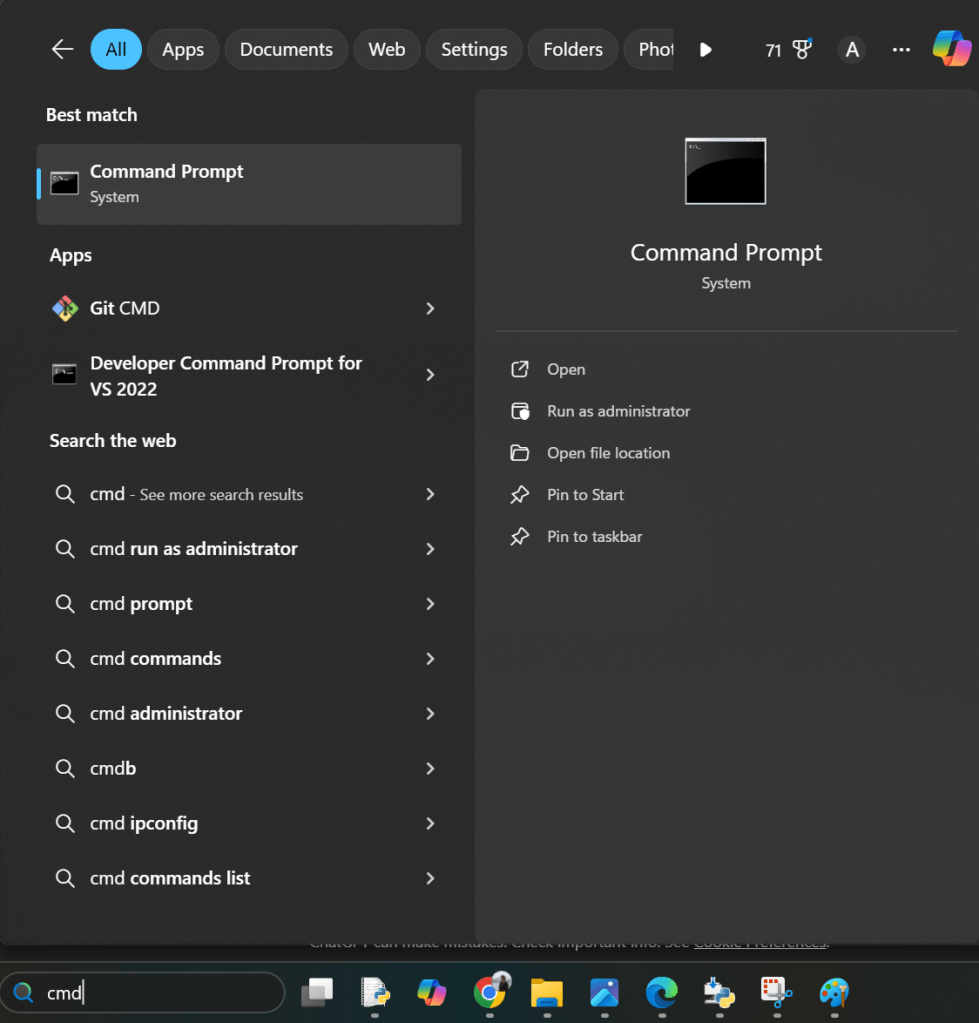
Step Always: This part will be repeated many times. You would use this to download as many modules( you can think mini programs) as you need.
Open command prompt in the windows search bar by typing cmd
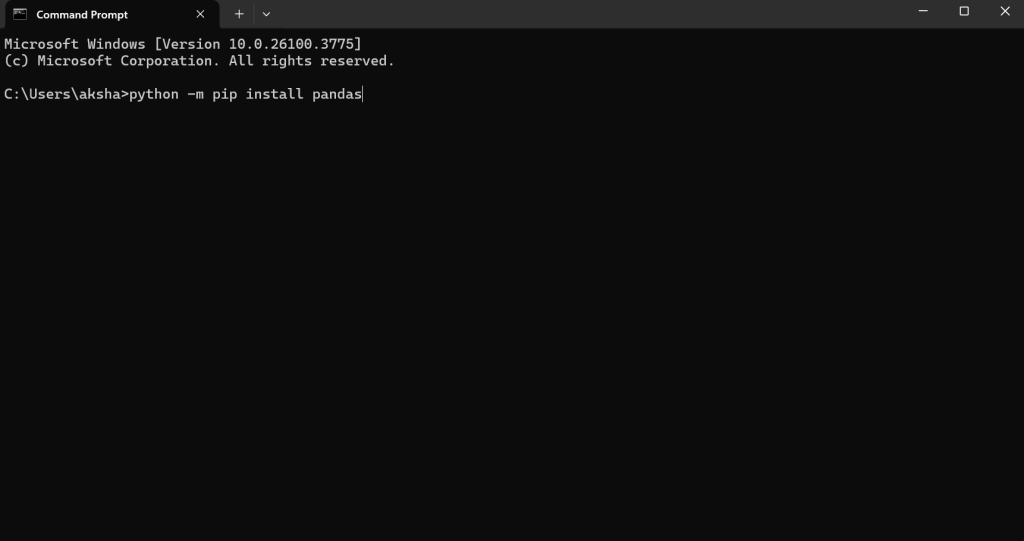
Type python -m pip install and then any module you would need and press enter
For now you can install pandas, numpy and yfinance
So type python -m pip install pandas
python -m pip install numpy
python -m pip install yfinance
You’re almost there to run your first code (and change your first diaper)
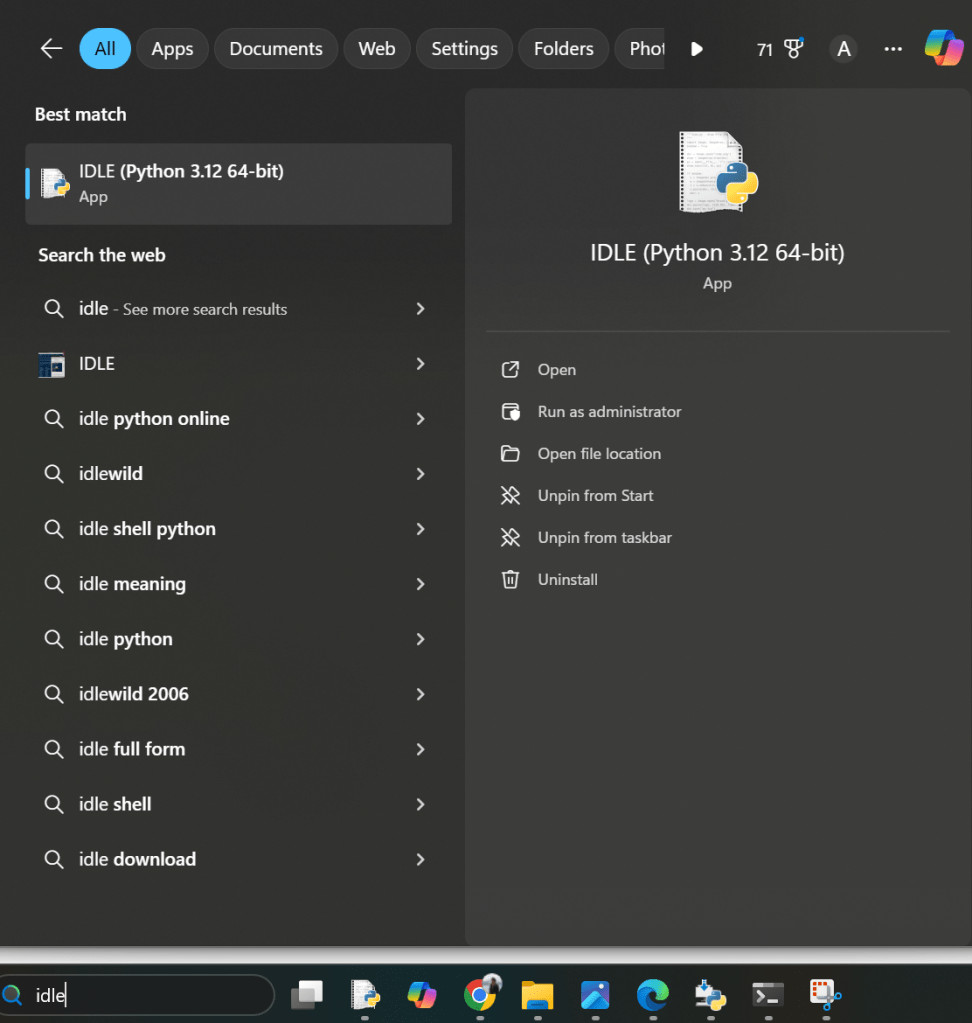
In your windows search bar, search for Idle which would have been installed along with python
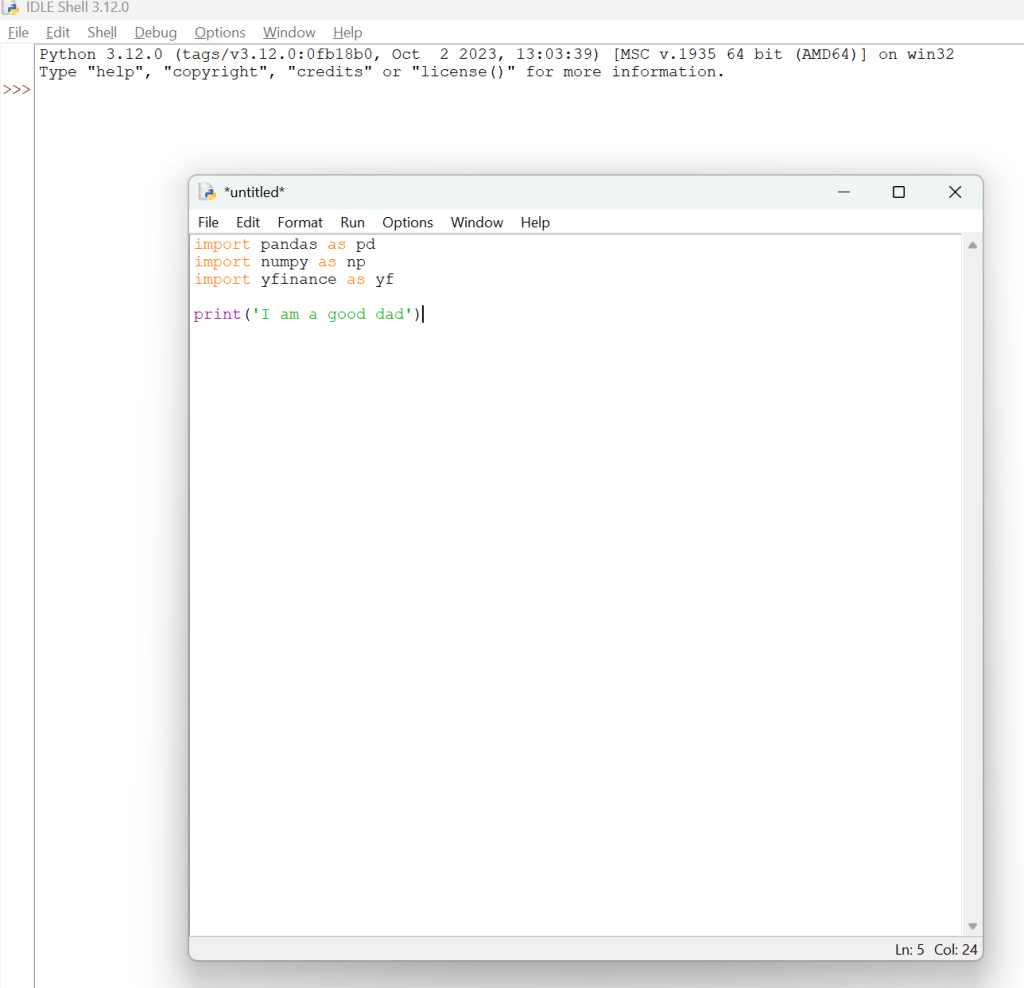
Click on File->New File
Write the following lines of code:
import pandas as pd
import numpy as np
import yfinance as yf

print('I am a good dad')
If it prints ‘I am a good dad’, then thats what it means, you’re a good dad and a beginner programmer
If it shows an error, you will likely have to re visit one of the steps above
Feel free to reach out to me via email in the about section if you have faced an issue in any of the above steps. I’m glad you’ve made it so far!
 Dad Quant